Sync Utility for Outlook [ Help Index ]
What is the SiteMail sync utility?
The utility allows you to sync your webmail account with Outlook. With it all contacts, calendar and task information you have with the WebMail account are transferred over to Outlook, and vice-versa.
How do I enable Mail sync with Outlook?
To sync your WebMail account with Outlook, do the following:
- First, download the SiteMail Sync installation utility for Outlook 2000, 2003 or 2007 from HERE
- After downloading, run the webmail-sync installation utility and install the software on your computer. After installation, restart Outlook and the new plugin will be automatically installed.
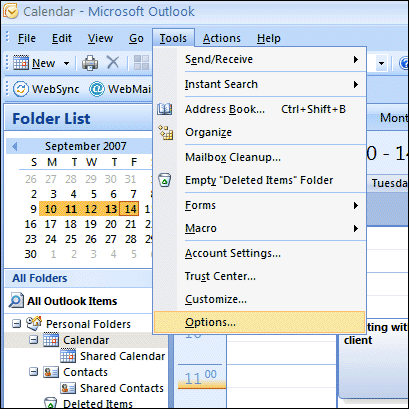
- Next, define your WebMail account details in the WebMail-sync utility pane. Click on Tools > Options menu, then select the tab labeled "WebMail Sync Configuration"
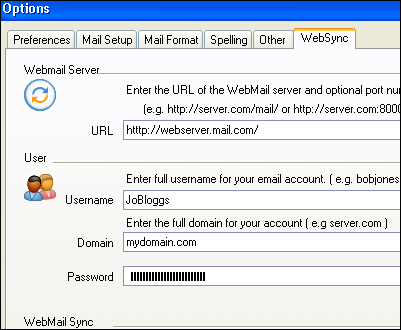
Enter the following settings:
Webmail Server: http://sitemail.siteprotect.com/sitemail
Username: [name of the POP email account] (Note that the full email address is NOT used.)
Domain: [your domain name]
Password: [the password for this POP account]
- Save all changes, then exit the accounts options window.
How do I sync my webmail account with Outlook?
After enabling Mail-syncing (see above), you should see a macro button labeled "WebMail Sync" on your toolbar:
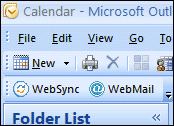
Click on the button, and Outlook will sync with your WebMail account automatically.